
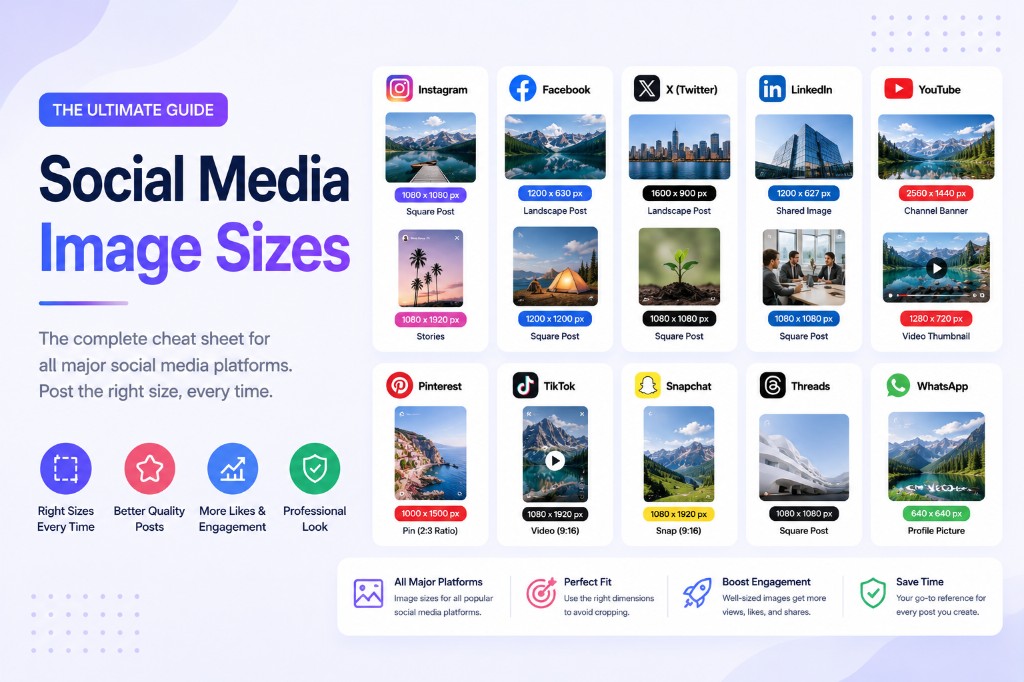
One image, seven platforms, seven different crops. Post the same file everywhere and something important gets cut on most of them. This cheat sheet lists the sizes that matter in 2026, and the fastest privacy-safe way to produce every variant.
Quick reference table (2026)
| Platform | Placement | Pixels | Ratio |
|---|---|---|---|
| Feed (recommended) | 1080 × 1440 | 3:4 | |
| Stories / Reels | 1080 × 1920 | 9:16 | |
| TikTok | Video / photo | 1080 × 1920 | 9:16 |
| YouTube | Thumbnail | 1280 × 720 | 16:9 |
| YouTube | Channel banner | 2560 × 1440 | 16:9 |
| X (Twitter) | In-stream image | 1600 × 900 | 16:9 |
| X (Twitter) | Header | 1500 × 500 | 3:1 |
| Feed image | 1080 × 1350 | 4:5 | |
| Link preview (OG) | 1200 × 630 | 1.91:1 | |
| Post image | 1200 × 1200 or 1200 × 627 | 1:1 / 1.91:1 | |
| Standard pin | 1000 × 1500 | 2:3 |
*Platforms tweak specs constantly; treat this as the July 2026 snapshot. Instagram details (including the new 3:4 grid) are covered in depth in our Instagram sizes guide.*
Five rules that outlive any spec change
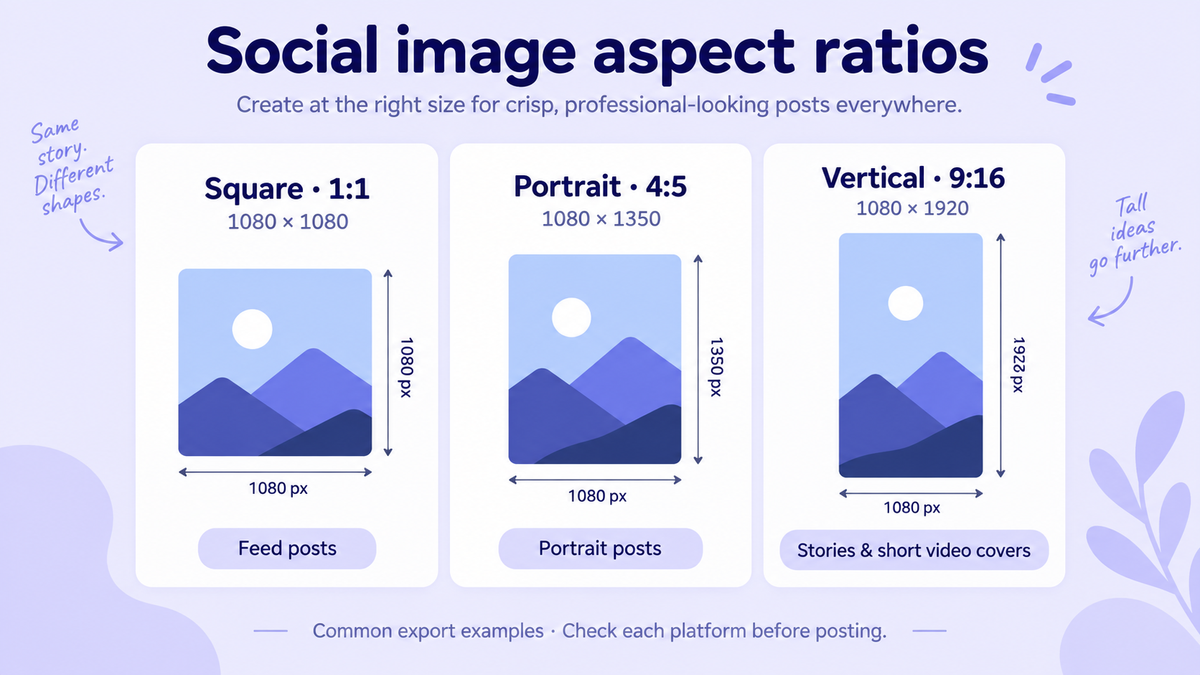
Design vertical-first. 9:16 (Stories, TikTok) and 3:4/4:5 (feeds) dominate. A horizontal master crops badly to vertical; a vertical master crops fine to square.
Keep a safe zone. Put faces and text in the central 80% — every platform overlays UI on the edges.
Export at exactly the display width. Uploading 4000px files just means the platform re-compresses harder. 1080px wide covers almost everything except YouTube banners.
JPG at 80–85% quality is the sweet spot for photos; PNG only for text-heavy graphics; platforms convert to their own formats anyway.
Stay under each platform's size cap to avoid the most aggressive recompression. When a cap matters (e.g., 1MB), hit it precisely with Compress Image to 1MB.
The 3-minute multi-platform workflow
Say you have one hero photo and need IG feed, Story, X, and a YouTube thumbnail:
Crop each ratio with Crop Image — presets for 1:1, 3:4, 9:16, 16:9. Multiple crop areas can be exported from one image in a single pass.
Resize to spec with Resize Image — type the exact pixel targets from the table.
Add your handle or logo with Add Watermark if the image tends to get reposted.
Compress the batch with Batch Compress so uploads are fast and platform recompression is gentle.
Everything runs in your browser — no uploads, no account, no watermarks added by the tool itself.
Link previews (OG images) are images too
The 1200 × 630 Facebook/X/LinkedIn link card is the most shared image size on the internet — it's what appears when your URL is pasted anywhere. If you control a website, prepare a dedicated 1200×630 OG image per key page instead of letting platforms crop your logo randomly.
FAQ
One size for everything?
If you must: 1080 × 1350 (4:5). It survives Instagram, Facebook, LinkedIn, and X with acceptable crops. But Stories/TikTok really need 9:16.
Why does my image look soft after uploading?
Platform recompression. Upload at exact display size with quality ~85 — never larger — to minimize it.
Where do I check for spec updates?
Platforms' own creator docs, or refreshed guides like this one — we update it as specs change.
Multi-platform workflow
Start with Resize Image Online and Crop Image, then explore optimize images online and edit images online for every platform size in the cheat sheet above.