
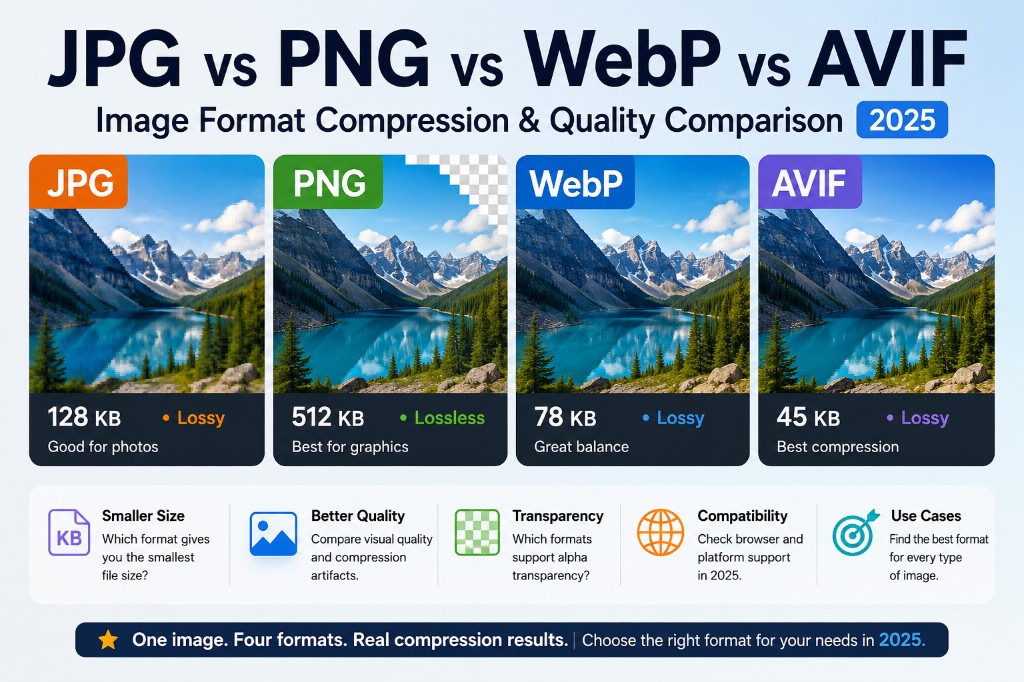
When people search for "image format compression lossless quality 2025" or "AVIF image format compression quality comparison JPEG", they are usually trying to answer one practical question:
If I convert the same image to JPG, PNG, WebP, and AVIF, which one gives me the smallest file without making the image look bad?
The answer depends on the image type, the compression mode, and where the image will be used. In general:
JPG is still great for photos and maximum compatibility.
PNG is best for lossless screenshots, logos, UI graphics, and transparency.
WebP is the safest modern web default.
AVIF often gives the best compression, especially for photos, but still needs compatibility planning.
Let's compare them through the most important lens: compression results.
---
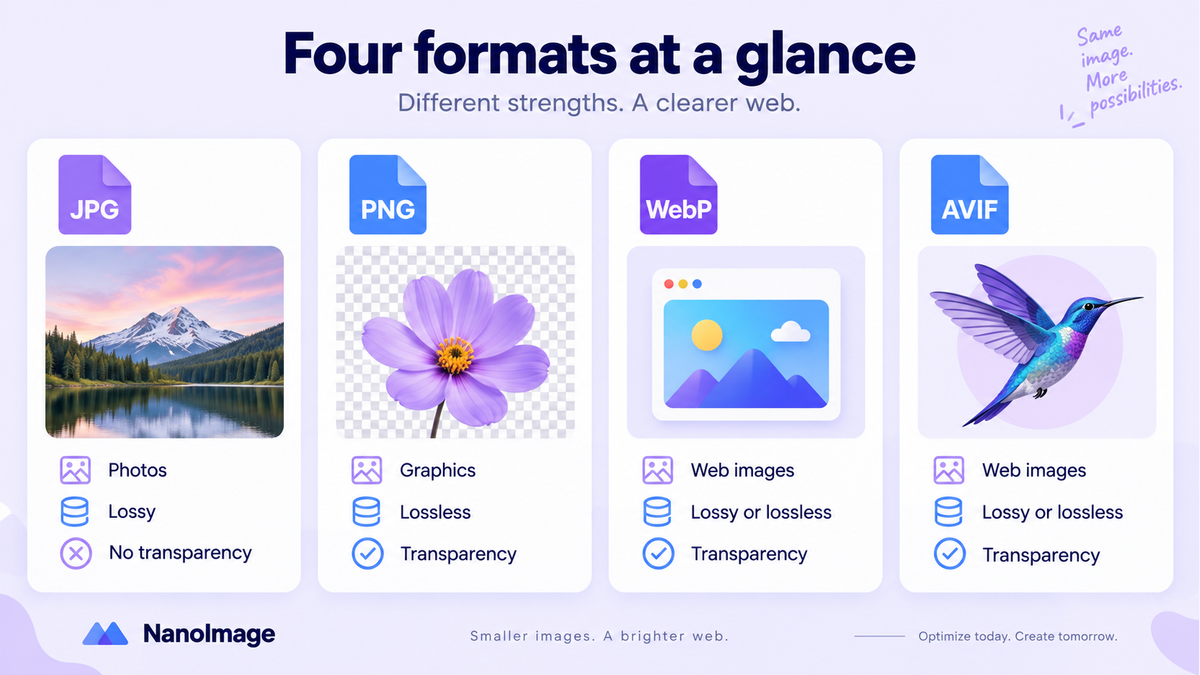
1. File Size: Which Format Compresses the Most?
File size is usually the main reason people compare image formats.
For the same original image, a typical compression result might look like this:
| Format | Typical File Size Result | Compression Style |
|---|---|---|
| PNG | Largest for photos, often smaller for flat graphics | Lossless |
| JPG | Much smaller than PNG for photos | Lossy |
| WebP | Usually smaller than JPG at similar visual quality | Lossy or lossless |
| AVIF | Often smallest at similar visual quality | Lossy or lossless |
This does not mean AVIF is always the best choice. Compression efficiency depends heavily on the image:
A photo usually compresses very well as JPG, WebP, or AVIF.
A screenshot with text may look worse under aggressive lossy compression.
A logo with transparency should not be saved as JPG.
A flat illustration may compress well as PNG, WebP lossless, or AVIF.
As a practical rule, AVIF usually wins on file size, WebP is the best balance, JPG is the safe classic, and PNG is the lossless transparency workhorse.
---
2. Quality Loss: Smaller Is Not Always Better
Compression is only useful if the image still looks good.
There are two major types of compression:
Lossy compression
Lossy compression reduces file size by permanently removing some image data. This can create visible artifacts, especially at high compression levels. JPG is the classic lossy format, while WebP and AVIF can also use lossy compression.
Common lossy artifacts include:
Blocky edges
Blurry details
Color banding in gradients
Noise around text or sharp lines
Smudged textures
JPG can look excellent at moderate quality settings, especially for photos. But if pushed too far, it often shows block artifacts and rough gradients.
WebP usually keeps better visual quality than JPG at a similar file size.
AVIF can go even further. It is designed around AV1 image compression and supports lossy and lossless modes, high bit depth, HDR, and alpha transparency. In many photo scenarios, AVIF can preserve more detail at a smaller size than JPG.
Lossless compression
Lossless compression reduces file size without discarding image data. When decoded, the pixels are preserved.
PNG is the most familiar lossless format. It is designed for lossless, portable, well-compressed raster images with optional alpha transparency.
WebP also supports lossless compression and alpha transparency.
AVIF supports lossless compression too, but in real-world workflows, lossless AVIF is not always the automatic winner. For UI assets, logos, and screenshots, WebP lossless or PNG may still be easier and more predictable.
---
3. Transparency Support: JPG Is the Odd One Out
Transparency matters for:
Logos
Stickers
UI icons
Product cutouts
Overlay graphics
Web design assets
Here is the simple breakdown:
| Format | Transparency Support |
|---|---|
| JPG | No |
| PNG | Yes |
| WebP | Yes |
| AVIF | Yes |
JPG does not support transparent backgrounds, so it is a poor choice for logos, icons, stickers, and UI elements that need alpha transparency.
PNG is the traditional choice for transparent images because it is lossless and widely supported.
WebP supports transparency and often creates smaller files than PNG for web use.
AVIF also supports alpha transparency, and it can be very efficient for optimizing modern websites.
---
4. Browser and Platform Compatibility
JPG
JPG has the broadest compatibility. It works almost everywhere: browsers, phones, cameras, design tools, CMS platforms, social apps, and email clients.
Use JPG when you need the safest possible format for photographic images.
PNG
PNG also has excellent compatibility. It is safe for screenshots, graphics, transparent assets, and images where exact pixel reproduction matters.
WebP
WebP is now widely supported across major browsers including Chrome, Safari, Firefox, Edge, and Opera.
For most modern websites, WebP is the best default export format because it offers strong compression, good quality, transparency, and broad browser support.
AVIF
AVIF support has improved a lot. Current support is strong across the main modern browser ecosystem.
That said, AVIF is newer than JPG, PNG, and WebP. For production websites, AVIF is best used with a fallback:
html
<picture>
  <source srcset="image.avif" type="image/avif">
  <source srcset="image.webp" type="image/webp">
  <img src="image.jpg" alt="Example image">
</picture>
This lets modern browsers load AVIF, while older environments fall back to WebP or JPG.
---
5. Best Use Cases by Format
Use JPG for photos and maximum compatibility
Best for: photographic images where transparency is not needed.
Avoid JPG for: logos, screenshots with text, transparent images, and images that need repeated editing.
Use PNG for screenshots, logos, and transparent graphics
Best for: graphics where clean edges and exact pixels matter.
Avoid PNG for: large photo-heavy images on websites, unless quality must be preserved exactly.
Use WebP as the modern web default
Best for: web images where you want a smaller file than JPG or PNG without taking major compatibility risks.
Use WebP for: blog images, landing pages, product images, thumbnails, web graphics, and transparent web assets.
Use AVIF for maximum compression
Best for: photos, hero images, ecommerce images, and performance-focused websites.
Use AVIF with fallback formats when compatibility matters.
---
6. Quick Decision Guide
Need the smallest file size? Try AVIF.
Need a safe modern web format? Use WebP.
Need maximum compatibility for photos? Use JPG.
Need lossless quality or transparency? Use PNG or WebP lossless.
Need transparent background with smaller web output? Try WebP or AVIF.
Need pixel-perfect screenshots? Use PNG first, then test WebP lossless.
---
JPG vs PNG vs WebP vs AVIF Comparison Table
| Dimension | JPG | PNG | WebP | AVIF |
|---|---|---|---|---|
| File Size / Compression | Good for photos, smaller than PNG | Often large for photos, efficient for flat graphics | Usually smaller than JPG/PNG at similar quality | Often the smallest at similar visual quality |
| Compression Type | Mostly lossy | Lossless | Lossy and lossless | Lossy and lossless |
| Quality Loss | Can show artifacts at high compression | No quality loss | Good quality-to-size balance | Excellent quality-to-size ratio |
| Transparency | No | Yes | Yes | Yes |
| Browser Compatibility | Excellent | Excellent | Excellent in modern browsers | Strong modern support, but newer |
| Best For | Photos, social previews, email images | Screenshots, logos, icons, transparent graphics | General web images, thumbnails, transparent assets | High-performance websites, compressed photos |
| Main Weakness | No transparency, visible artifacts when over-compressed | Large file sizes for photos | Older tools may still prefer JPG/PNG | Slower encoding and weaker legacy compatibility |
| Recommended Role in 2025 | Safe fallback | Lossless graphics format | Default modern web format | Best compression format with fallback |
---
Final Recommendation
For most websites in 2025, the best practical strategy is:
Use AVIF for maximum compression, WebP as the reliable modern fallback, JPG for legacy photo compatibility, and PNG for lossless transparent graphics.
No format wins every time. The best choice depends on the image itself.
Want to test the difference yourself? Use NanoImage to convert the same image into JPG, PNG, WebP, and AVIF, then compare compression results, quality, transparency, and real file size side by side.
Convert PNG or JPG to WebP on NanoImage
When you have already decided on WebP for the web, skip the generic format picker and use a dedicated converter: PNG to WebP keeps transparency for UI and graphics, while JPG to WebP is tuned for photos. Both run locally in your browser—batch files, quality control, ZIP download, nothing uploads.
Still mixing formats in one drop zone? Use the Convert to WebP hub, then come back to the PNG or JPG satellite pages when you want a clearer search landing and tighter tips for that source format.
Convert formats with NanoImage
Use Convert Image Online for everyday format changes, Convert JPG/PNG to WebP for web performance, and Compress Image after conversion. See all convert image formats online tools in one hub.