
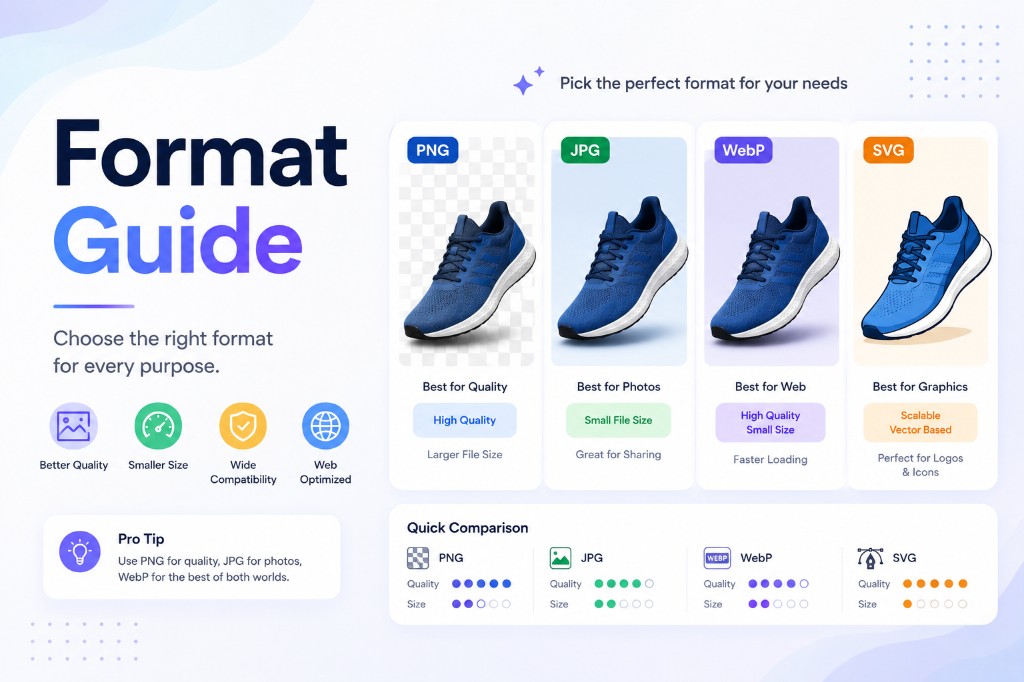
Choosing the right image format can make your files smaller, clearer, easier to share, and better suited for the web. But image formats can be confusing. JPG, PNG, WebP, AVIF, GIF, and PDF all solve different problems.
This guide explains the most common image formats in plain English and shows when to convert from one format to another.
If you already know the format you need, visit NanoImage's Convert Formats tools to convert images online.
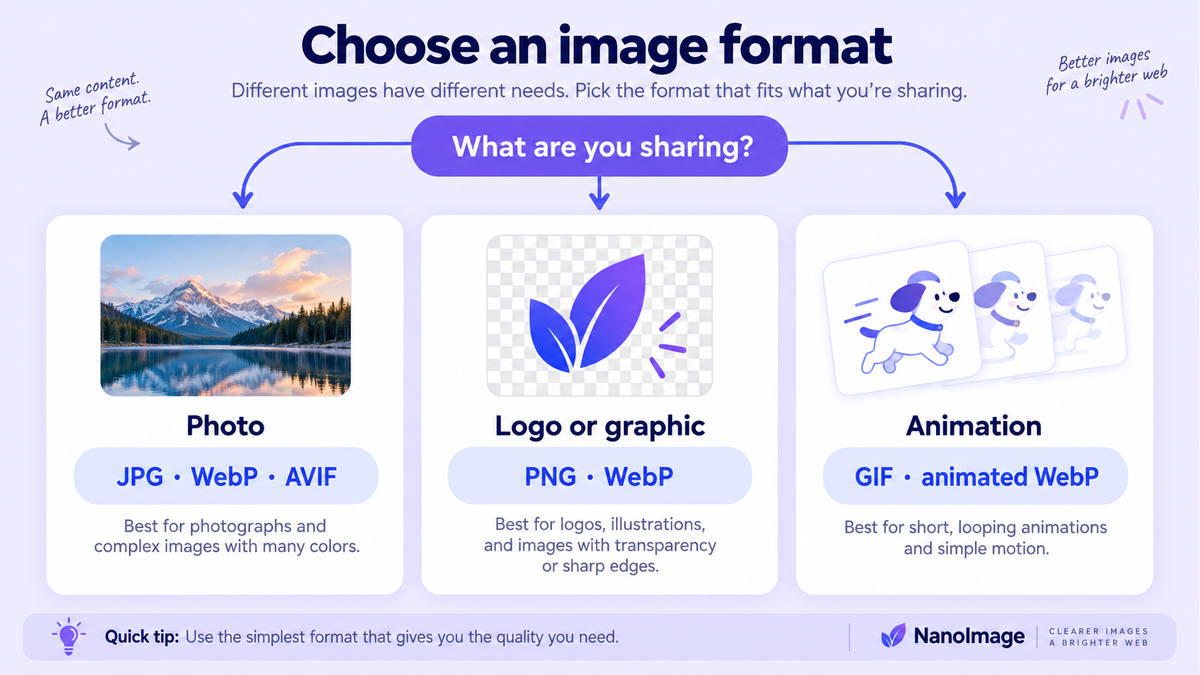
Quick comparison
| Format | Best for | Supports transparency? | Common use |
|---|---|---|---|
| JPG / JPEG | Photos and general sharing | No | Blog photos, product images, email attachments |
| PNG | Transparency and sharp graphics | Yes | Logos, screenshots, UI graphics |
| WebP | Web images with good compression | Yes | Website images, modern web publishing |
| AVIF | High compression and modern web use | Yes | Advanced web optimization |
| GIF | Simple animations | Limited | Short animations and simple loops |
| Documents and multi-page sharing | Not an image format in the same way | Forms, scanned documents, print-ready files |
JPG / JPEG: best for photos and everyday sharing
JPG is one of the most common image formats. It is widely supported, easy to share, and usually a good choice for photographs.
Use JPG when:
The image is a photo
You do not need transparency
You want a smaller file than PNG
You are sharing by email or uploading to a website
You need broad compatibility
Avoid JPG when:
You need a transparent background
The image contains sharp text or UI lines that must stay perfectly crisp
You need to repeatedly edit and re-export the image many times
If you have a PNG photo that is too large and does not need transparency, converting it to JPG can reduce the file size.
PNG: best for transparency and sharp graphics
PNG is useful when image quality and transparency matter. It is a strong choice for screenshots, icons, logos, and graphics with text or flat colors.
Use PNG when:
You need a transparent background
The image is a screenshot or UI graphic
The image includes sharp text or line art
You want a clean export for design assets
Avoid PNG when:
The image is a large photo
File size is a major concern
You do not need transparency
PNG can create large files for photos. If the image is photographic and does not need transparency, JPG or WebP may be a better choice.
WebP: a strong format for modern websites
WebP is a modern image format that can work well for website images. It supports both lossy and lossless compression, and it can support transparency. For many web workflows, WebP is a practical balance of quality and file size.
Use WebP when:
You are preparing images for a website
You want smaller files than JPG or PNG in many cases
You need transparency with a modern format
You want a good default for blog and marketing images
Avoid WebP when:
Your workflow requires an older system that does not support it
A platform specifically requires JPG or PNG
You are sending images to someone who requested a different format
AVIF: high compression for advanced web optimization
AVIF is another modern image format known for strong compression. It can be a great option when you care deeply about file size and modern browser support.
Use AVIF when:
You are optimizing a performance-focused website
You want very small image files
Your publishing system supports AVIF
You can test the output quality and compatibility
Avoid AVIF when:
You need maximum compatibility across older systems
Your CMS or design workflow does not support it
You need a simpler universal format
For many teams, WebP is the easier modern default, while AVIF can be used for more advanced optimization workflows.
GIF: best for simple animation
GIF is popular for short animated loops, reactions, and simple motion graphics. It is not usually the best choice for high-quality video or photo compression, but it remains useful because people understand it and many platforms support it.
Use GIF when:
You need a short animated loop
The animation is simple
You want an easy-to-share file
You are turning a short clip into a lightweight animation
NanoImage's GIF Maker and Video to GIF tools can help when you need to create simple GIFs.
PDF: best for documents, not regular web images
PDF is not just an image format. It is a document format. It is useful for sharing scans, forms, portfolios, reports, and multi-page files.
Use PDF when:
You need a document-like file
You are combining images into a shareable document
You want a file for printing or formal submission
You need multi-page output
Use NanoImage's Image to PDF tool when you want to convert images into a PDF document.
Which format should you choose?
Use this simple decision path:
Photo for general sharing? Use JPG.
Graphic with transparency? Use PNG or WebP.
Website image? Try WebP.
Performance-focused web workflow? Test WebP and AVIF.
Animation? Use GIF for simple loops.
Document or scan? Use PDF.
When should you convert an image?
Convert an image when the current format does not match the job.
Examples:
Convert PNG to JPG when a photo file is too large and does not need transparency.
Convert JPG to PNG when a platform requires PNG output.
Convert JPG or PNG to WebP for web publishing.
Convert images to PDF when you need a document.
Convert video to GIF when you need a short animated loop.
For the full set of tools, visit Convert Formats.
FAQ
Is WebP better than JPG?
WebP can often create smaller web images with good quality, but JPG is still widely supported and simple for general sharing. The better format depends on where the image will be used.
Is PNG better than JPG?
PNG is better for transparency, screenshots, and sharp graphics. JPG is usually better for regular photos when you want smaller files.
What is the best image format for a website?
WebP is a strong choice for many modern website images. JPG is still useful for photos, and PNG is useful when transparency or sharp graphics are required.
Can I convert images online without installing software?
Yes. NanoImage provides browser-based format conversion tools for common image workflows.
Final takeaway
There is no single best image format. The right format depends on the image type and where it will be used. Use JPG for photos, PNG for transparency, WebP for many website images, GIF for simple animations, and PDF for documents.
Start with Convert Formats, or go directly to Convert to WebP, Image to PDF, and GIF Maker.